Amin TechLab

Advanced STM32H7 Course
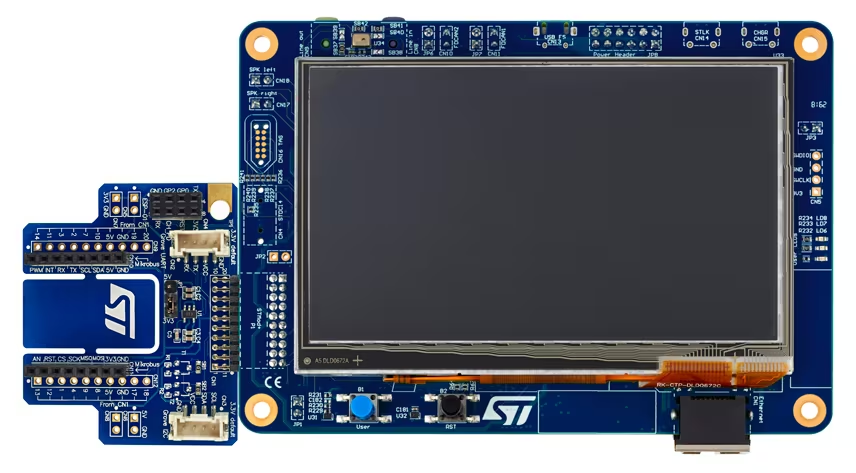
STM32H7 Course Thumbnail

Course Information

Instructor: Eng Mohammad Amin Kahdem Al Hosseini
Duration: 8 Hours
Level: Advanced
Language: Persian
Price: Free

About This Course

The STM32H7 Advanced Course is designed for embedded systems developers who want to master the STM32H745I-DISCO board and unlock the full potential of its dual-core architecture. Through a combination of hardware exploration, practical coding projects, and in-depth performance optimization techniques, you will gain the skills to design and implement high-performance embedded applications for IoT, industrial control, and real-time systems.


From understanding every feature of the STM32H745I-DISCO hardware to writing efficient code for both the Cortex-M7 and Cortex-M4 cores, and finally diving into advanced memory management with I-Cache and D-Cache, this course builds your expertise step-by-step with real-world examples.

Course Content & Chapters

Section 1: STM32H745I-DISCO Board Overview

Explore every detail of the STM32H745I-DISCO board — from its high-performance STM32H745XIH6 microcontroller to its powerful peripherals. Learn how to use its dual-core setup, onboard sensors, LCD display, external memories, and communication interfaces for advanced embedded projects.

Section 2: Getting Started with Dual-Core Programming

Build your first project on the STM32H7 platform — the classic Blinky LED — but with a twist: running it independently on Cortex-M7 and Cortex-M4 cores. Learn how to configure pins, write minimal code, manage boot settings, and test functionality on each core.

Section 3: STM32H7 Cache (I-Cache & D-Cache)

Master the use of I-Cache and D-Cache to improve execution speed and data access efficiency. Understand different cache policies, learn how to handle cache coherency, and apply cache maintenance functions to keep your system stable and high-performing.

Section 4: Practical Cache Example on STM32H7 (I-Cache & D-Cache in Action)

In the previous lesson, we learned what Cache is and why enabling it significantly improves the performance of STM32H7 MCUs. In this episode, we put theory into practice with a real coding example to analyze the impact of enabling and disabling the I-Cache and D-Cache. By measuring loop execution times and observing outputs through UART and SWO, you will clearly see how Cache affects CPU execution speed.

Topics Covered:
  • Quick recap of I-Cache and D-Cache concepts
  • How to enable and disable Cache on STM32H7
  • Measuring loop execution time with and without Cache
  • Sending performance logs through UART or SWO
  • Analyzing results and comparing performance in different configurations

Section 5: Understanding the MPU in STM32H7 (Memory Protection Unit)

In this episode, we dive into one of the most important and advanced architectural features of the STM32H7: the Memory Protection Unit (MPU). The MPU is part of the Cortex-M7 core and allows you to define access rules and operation permissions for different memory regions—preventing accidental execution, invalid writes, or unintended memory behavior. If you've ever struggled with strange memory faults or unpredictable bugs in your embedded projects, this episode will help you understand how the MPU can protect your system and improve reliability.

Topics Covered:
  • Complete introduction to the MPU and how it differs from the MMU
  • Internal structure of the MPU inside the Cortex-M7 core
  • Understanding memory regions and how to configure them
  • Access permissions and execution modes (Read, Write, Execute)
  • Practical use cases of the MPU in embedded systems
  • How to enable and configure the MPU in STM32CubeIDE

Section 6: Practical MPU Examples on STM32H7 (Real Memory Protection!)

In the previous episode, we learned the fundamentals of the Memory Protection Unit (MPU). Now it's time to step into the real world with two extremely practical examples, each tested with real faults and debugging techniques.

🧪 Example 1: Preventing Code Execution in SRAM
Learn how to mark a region of SRAM as Non-Executable, making any attempt to run code from it trigger a Fault. This technique is crucial for protecting your system from unexpected behavior and dangerous bugs.

🛡️ Example 2: Creating a Read-Only Region in SRAM
In this example, we configure part of the memory as Read-Only. Then we intentionally attempt to write to it, observe the MPU violation, and analyze the error using the Fault Analyzer tool.

Topics Covered:
  • Defining MPU regions for safe program execution
  • Detailed MPU configuration in STM32CubeIDE
  • Modifying the Linker Script to place code/data in specific regions
  • Testing faults using the Fault_Handler and observing real errors
  • Using the Fault Analyzer tool for advanced debugging
  • Important tips to avoid random crashes and unpredictable software bugs